Older: 2013-11-15 Helpout Provider Tip - Ask for that 5-star review #helpouts.jpg
Newer: 2013-11-15 Thinking about how I can manage my images more effectively #organization #drawing.png
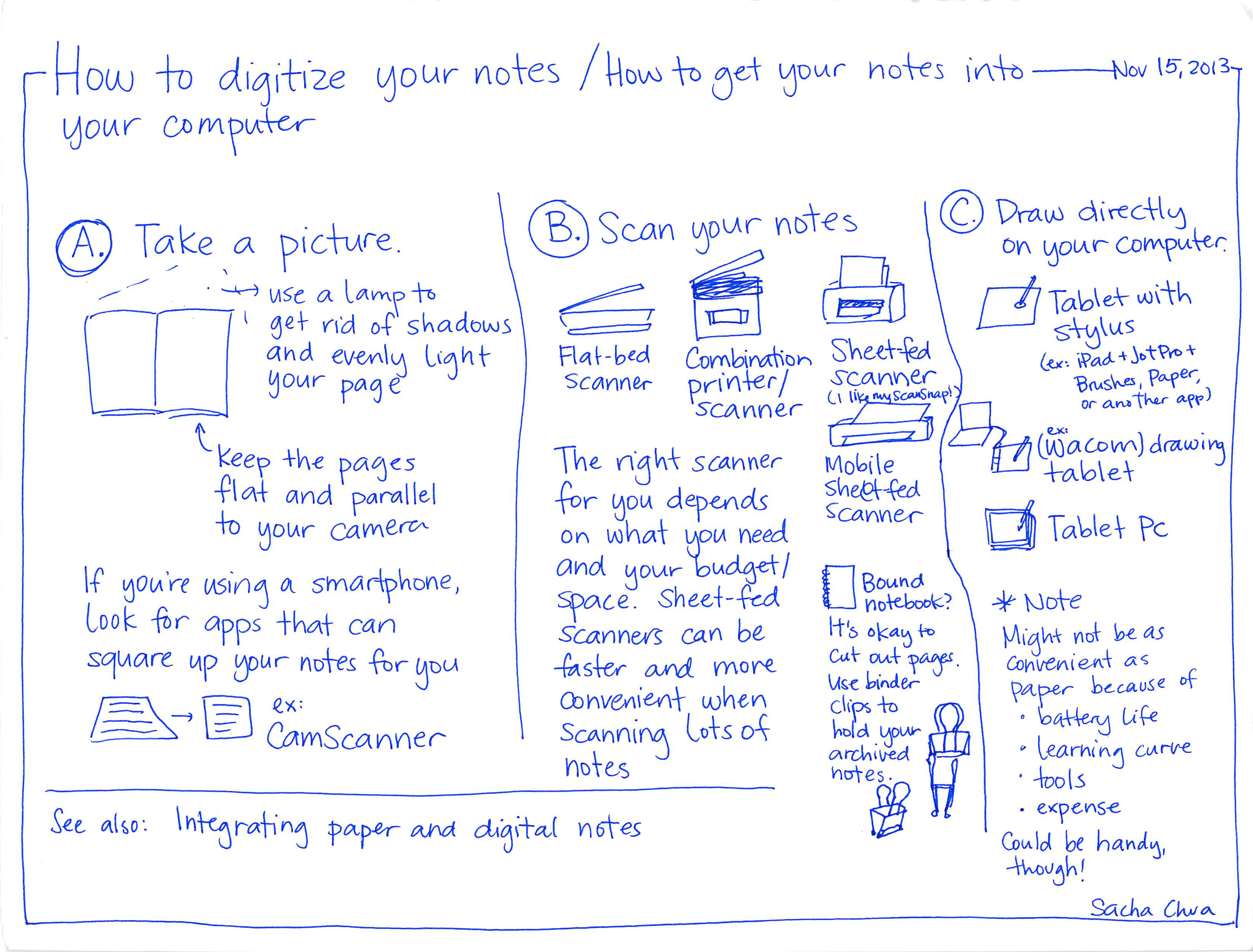
2013-11-15 How to digitize your notes - How to get your notes into your computer #learning #organization.png

-How to digitize your notes / How to get your notes into -

your computer A. Take a use a lamp picture. to get rid of shadows and evenly light your page Keep the pages flat and parallel your camera to If you're using a smartphone, Look for apps that can square up your notes for you 目 ex: CamScanner Nov 15, 2013- B. Scan your notes Ⓒ Draw directly Flat-bed Combination Sheet-fed scanner (I like my ScanSnap!) Scanner printer/ 'scanner The right scanner scanner Mobile Sheet-fed Scanner need for you depends on what and you your budget/ Space. Sheet-fed ☐ Bound Scanners can be faster and more Convenient when Scanning lots of notes See also: Integrating paper and digital notes notebook? It's okay to Cut out Use binder pages. clips to hold your archived notes. on your computer.

stylus(ex: iPad + Jot Pro+Brushes, Paper,or another app)(Wacom) drawingtabletTablet Pc*NoteMight not be asConvenient aspaper because ofbattery lifeo0• learning curvetoolsexpenseCould be handy,though!Sacha Chua
Older: 2013-11-15 Helpout Provider Tip - Ask for that 5-star review #helpouts.jpg
Newer: 2013-11-15 Thinking about how I can manage my images more effectively #organization #drawing.png

Sketches are (c) 2007-2025 Sacha Chua - Creative Commons Attribution License 4.0 unless otherwise specified. This means you can freely share and adapt the sketches (even commercially) if you include attribution and indicate the license and any changes, like this: (c) 2025 Sacha Chua - Creative Commons attribution license